
“I want to insert my picture into my video, please help…”
“How to make pictures into videos…”
“How to add something to video…”
......
Similar questions are displayed on the web. If you have ever asked such question and still spend half a day finding the solution, you’re in the right place now.
You have put so much time and energy into your home-made videos or product videos. But one day, you find that your own work on someone else’s site, what’s worse, with absolutely no credit given to you. So put an end to it right now.
Meanwhile, making pictures into video will also help you broadcast yourself. I find many users loving to make changes to their videos, such as put family photo into video and put travel pictures, branding, signature to video and even put an animation into video.
That could be very interesting. But how to find the right or suitable tool to make pictures into video or put cool watermark to video? To save your time, I’d like to list some suggestions.
Basic function
The tool must have the basic function, helping you make pictures into video.
Extra Flexible functions
The program should have some other powerful and flexible features, like adding effects, convert video file formats, etc.
Good quality
The output video quality must be the same as original video; we do not want any quality loss.
Various supported formats
The tool must support all popular video formats and picture formats.
Easy to use
We don’t want to waste much time training the skills. The operating process must be as simple as possible.
Fast Speed
No one like waiting long time for anything, so batch watermarking mode is necessary.
Cheap price
Good stuff is not cheap, but, nothing is impossible.
Soooooo, for the reasons, Video Watermark Pro is highly recommended. It enables you to make text, picture and shape to video in batch mode and is simple enough even for a beginner. With friendly interface and fast watermarking speed, it’s regarded as one of the best related tools by far.

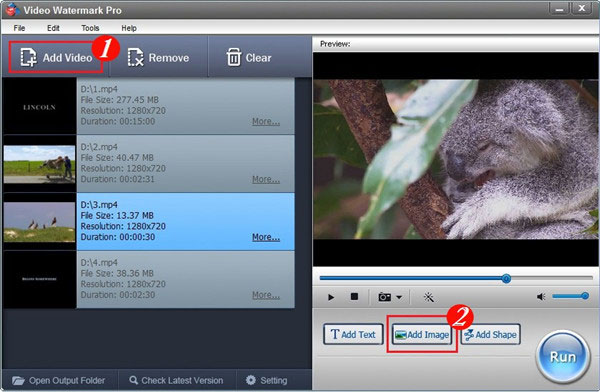
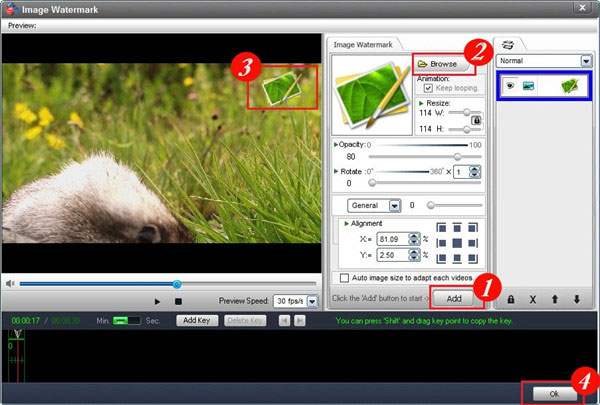
Tips: If you want your image to appear in some appointed time segments, you can do it via time line setting.
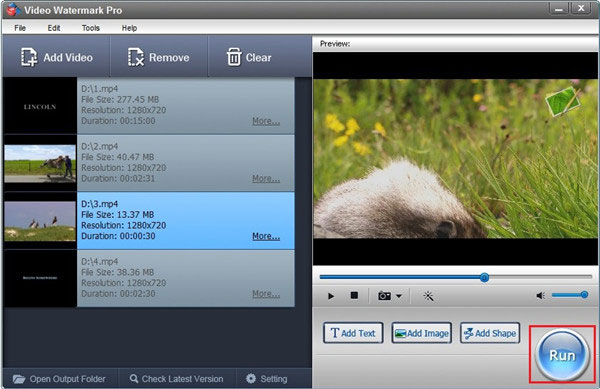
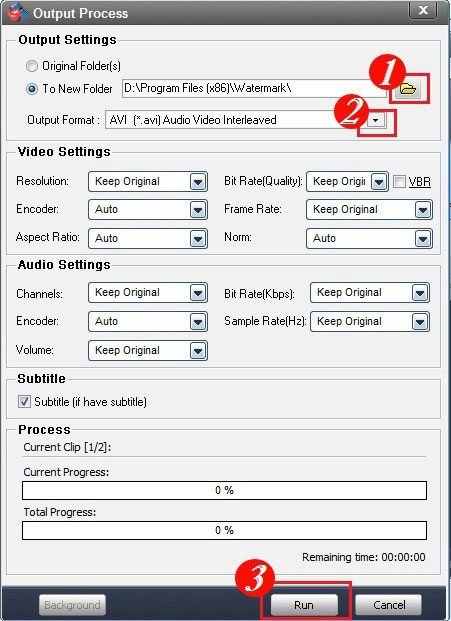
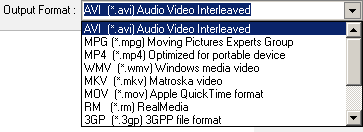
Tips: Video Watermark Pro supports almost all pop video formats including AVI, MPEG, MP4, WMV, 3GP, MKV, MOV, FLV, SWF, RM, etc.
Video Watermark Software Focuses on Protecting Videos’ Copyright that allows you to insert text, image like your company’s logo and even shape watermark to videos. It is an excellent way to stamp a personalized identification mark on the visual material.
About Video Watermark ProHow to Add Logo to Movie
Adding logo to movie is easy thing for every user, visit this page you will get how to add logo to movie quickly. Watermarking your videos is fairly the effective way to brand and protect your videos if you want to share them on the social networks.
How to Watermark YouTube?
Nowadays, it’s necessary to watermark YouTube. With the most professional watermark software, you can easily add watermark to YouTube video with just 3 simple steps.